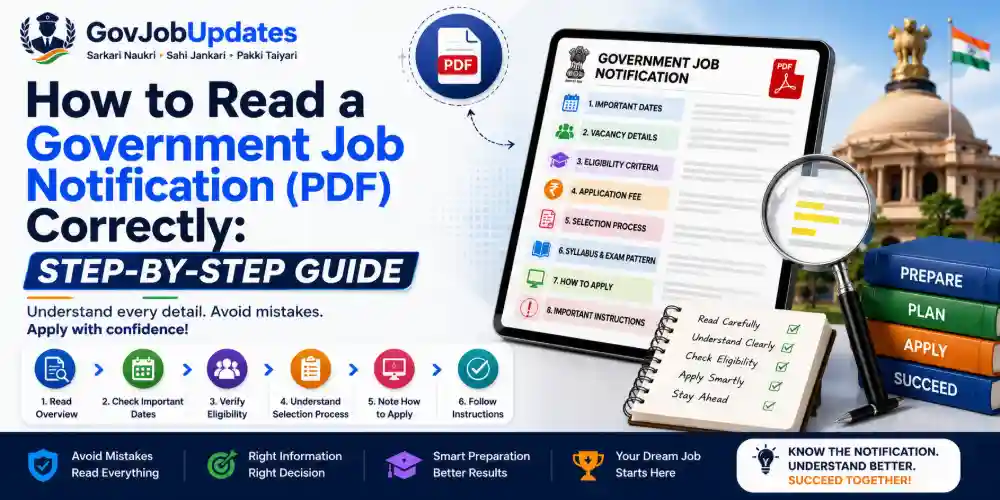
1. Why Notifications Feel So Confusing (And Why That's Not Your Fault)
Government job notifications are legal and administrative documents first, and communication tools second. They are drafted to be precise and defensible from an official standpoint, not necessarily to be easy reading for a first-time applicant. Dense sentence structures, cross-references to earlier government orders, and heavy use of abbreviations are all standard in this kind of document.
Once you understand that a notification is essentially a structured legal document with a predictable set of sections, it becomes far less intimidating. The goal of this guide is to give you that structure, so instead of reading the whole document linearly and getting lost, you know exactly which section to check for which kind of information.
2. Step 1 — Confirm the Notification Is Official and Current
Before reading a single detail, verify that the PDF you have is genuinely from the official recruiting body's own website or official press release, not a reshared or possibly outdated copy from a third-party page or social media forward. Government recruitment bodies occasionally issue corrigenda (official corrections or amendments) after the original notification, and an outdated copy can lead you to apply based on incorrect information.
Always cross-check the notification's issue date and, if available, browse the organisation's official "Notices" or "Corrigendum" section for any amendments issued after the original release, since these can change deadlines, eligibility, or exam patterns.
3. Step 2 — Read the Vacancy Details Table Carefully, Not Just the Total Number
Most notifications open with a vacancy breakdown table showing the total number of posts, often split by category (UR/General, SC, ST, OBC, EWS) and sometimes by post name if multiple roles are being recruited together. A common mistake is to only note the total vacancy number and skip the category-wise and post-wise breakdown entirely.
If a notification covers multiple posts (for example, several technical roles within a single recruitment drive), carefully identify exactly which post you are eligible for and interested in, since eligibility criteria, exam pattern, and even application fees can differ meaningfully between posts within the same overall notification.
4. Step 3 — The Eligibility Criteria Section: Read Every Sub-Point
This is the single most important section, and the one most often misread. It typically contains several distinct sub-sections that must each be checked individually:
- Educational Qualification: Check the exact qualification required, including any specific subject, stream, or minimum percentage requirements, and note the exact date by which you must hold that qualification (this is often a specific cut-off date, not simply "at the time of application").
- Age Limit: Check both the minimum and maximum age, and the exact reference date used to calculate it (commonly the notification's date of publication, or a specifically stated date, which is not always the same as the application deadline).
- Age Relaxation: A separate table almost always follows the basic age limit, listing relaxation years for SC, ST, OBC, PwBD, Ex-servicemen, and sometimes government employees or candidates from specific states/regions. This is one of the most frequently overlooked sections, and skipping it can make a genuinely eligible candidate incorrectly believe they don't qualify.
- Nationality/Domicile Requirements: Some posts, especially state-level ones, require specific state domicile, which is worth confirming early since it affects your entire eligibility to apply.
- Physical Standards (if applicable): For posts like police, defence, or paramilitary roles, height, chest measurement, and physical endurance test standards are usually listed separately, often with different criteria for different categories or genders.
5. Step 4 — Understand the Selection Process Section
This section outlines every stage of the selection process — for example, a written exam, followed by a skill test or physical test, followed by document verification and a medical examination. Read this section carefully to understand not just the stages, but their relative weightage, since many notifications specify how marks from different stages are combined (or whether earlier stages are purely qualifying in nature and don't count toward the final merit list).
Pay particular attention to any negative marking rules, sectional cut-offs (a minimum score required in each individual subject, not just the overall total), and whether there is a separate qualifying exam before the main exam, since misunderstanding this structure is a common source of avoidable stress and confusion during preparation.
6. Step 5 — Note Every Date in the "Important Dates" Section, Not Just the Deadline
Most candidates only note the final application deadline, but this section typically contains several other dates that matter just as much: the start date of the application window, the last date for fee payment (which is sometimes earlier than the last date for form submission), the correction window for editing submitted application forms, and tentative or confirmed exam dates.
Write all of these dates down separately in a calendar or reminder app rather than relying on memory, since missing the fee payment deadline or the correction window can cause serious problems even if you technically submitted the form on time.
7. Step 6 — Application Fee Section: Check Category-Wise Fees and Payment Modes
Application fees are almost always listed separately by category, with several categories (commonly SC/ST/PwBD/Ex-servicemen, and sometimes women candidates) either exempted or charged a reduced fee. Confirm which category-specific fee applies to you rather than assuming the general fee, and check the accepted payment modes listed (online payment gateways, challan-based bank payment, or other specified methods), since some notifications specify a particular payment window separate from the main application window.
8. Step 7 — Document Checklist: Prepare Before You Start the Form
Notifications typically include a list of documents required either at the application stage (for uploading scanned copies) or later at the document verification stage. Read this list in full before starting your online application, since some portals do not allow saving a partially completed form indefinitely, and scrambling to arrange a document mid-application can cause you to lose your progress or make an avoidable error under time pressure.
Pay close attention to specified formats and file size limits for uploaded documents (such as photograph and signature specifications), since incorrect formatting is one of the most common reasons applications get stuck or rejected during submission.
9. Step 8 — Read the "How to Apply" Section Exactly as Written
This section provides the precise, official steps for submitting your application — usually specifying the exact website portal to use, the registration process, and any specific instructions about print-outs or physical document submission required after the online step. Following this section exactly, rather than relying on assumptions from having applied to a different exam before, avoids technical errors that can invalidate an otherwise correct application.
10. Step 9 — Look for the Fine Print: Reservation Rules, Domicile Clauses, and Special Instructions
Toward the latter part of most notifications, there are often additional clauses covering specific reservation rules (such as horizontal reservations for women, PwBD candidates, or ex-servicemen, which work differently from the main category-based vertical reservations), specific instructions for candidates with particular circumstances, and general terms and conditions. These sections are easy to skip because they appear less "exciting" than the eligibility or exam pattern sections, but they can contain details directly relevant to your specific situation.
11. A Practical Checklist to Use Every Time You Read a Notification
- Confirm the source is official and check for any corrigenda
- Read the full vacancy table, not just the total number
- Check educational qualification and its exact cut-off date
- Check age limit and, separately, the age relaxation table for your category
- Understand the complete selection process and marking scheme, including negative marking and sectional cut-offs
- Note every date, not just the final deadline — including fee payment and correction window dates
- Check the category-wise application fee and accepted payment modes
- Prepare all required documents in the specified format before starting the form
- Follow the official "How to Apply" steps exactly
- Read reservation and special-instruction clauses relevant to your situation
Keeping this checklist handy every time a new notification is released turns a confusing, intimidating document into a structured, manageable task — and significantly reduces the risk of an avoidable mistake costing you an opportunity you were genuinely eligible for.
Frequently Asked Questions (FAQs)
What is the most commonly missed detail in a government job notification?
Age relaxation and category-specific eligibility clauses are among the most frequently misread details. Candidates often check only the general age limit and miss the relaxation table that applies to their specific category (SC/ST/OBC/PwBD/Ex-servicemen), which can significantly change their actual eligibility.
Should I trust a news website's summary of a notification instead of reading the PDF myself?
Summaries can be a useful starting point, but they should never replace reading the official notification PDF yourself, especially for details like exact eligibility, document requirements, and deadlines. Even small errors or outdated information in a third-party summary can cause a genuinely eligible candidate to miss out, so always cross-check critical details against the original official document.
What should I do if a notification's language is unclear or ambiguous?
Most notifications include official helpline numbers, email addresses, or a grievance redressal contact specifically for such queries. Reach out to the issuing organisation directly rather than relying on guesses from social media or forums, since incorrect assumptions about eligibility or documentation can lead to your application being rejected.
A note on this guide
This article explains the general structure and reading strategy for government job notifications, which follow a broadly similar format across most recruiting bodies in India. Always read the specific, official notification PDF for the exam you are applying to in full, since exact sections, terminology, and requirements can vary between organisations.
Discussion 0
Join the Discussion
Login to your account to share comments, tips, and engage with other aspirants.